Background Noise Remover for Audio & Video
Use this background noise remover for speech in audio or video. Hear a free 30-second before-and-after preview, then keep speech in focus in your full file.
Free 30-second preview. No sign-up needed. Files are deleted after 7 days.
Same loudness. Only the noise changes.
Demo clips are AI-generated; the cleaned audio is real output from this tool. Sources & costs
Hear a Real Before-and-After Example
Hear background noise removal with speech kept in focus. These samples use licensed speech mixed with synthetic noise, processed by our background noise remover. Your recording may sound different. For voice-focused cleanup, try our audio cleaner.

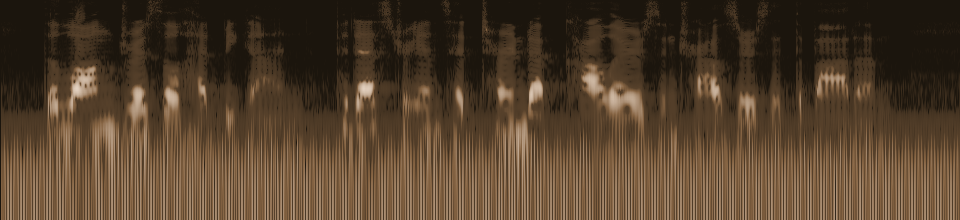

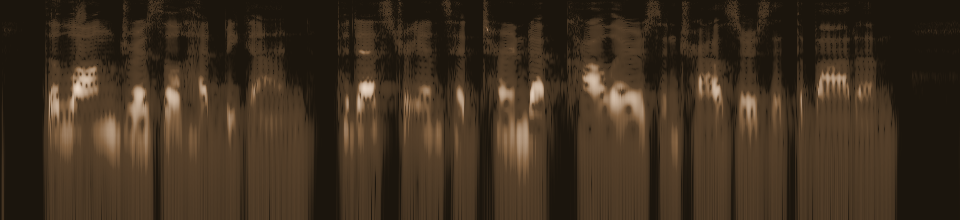
Both versions play at the same loudness, so you only hear the difference in noise.
LibriSpeech speech (CC BY 4.0), mixed with synthetic noise. Real AI output. Sources & license
Background Noise Removal in 3 Steps
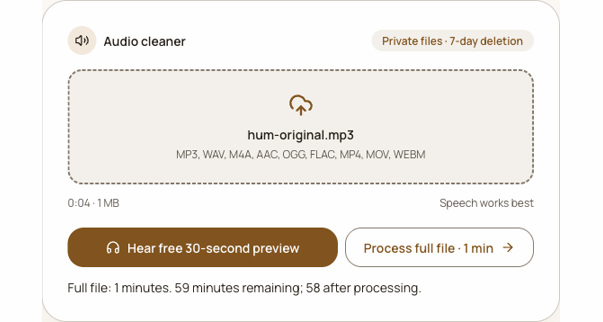
The background noise remover starts with a short comparison so you can judge the voice before spending credits. Use a recording that represents the real problem; a silent opening will not tell you how the difficult passage sounds.
Choose a spoken recording
Upload audio or video from a phone, microphone, or camera. Start with a source where the voice is audible and the unwanted sound appears in the first 30 seconds. If the noise begins later, trim a copy for the preview.
Compare the first 30 seconds
Play the original and cleaned sample at the same volume. Listen closely to quiet words and consonants as well as the pauses. A lower noise floor matters only when speech remains clear.
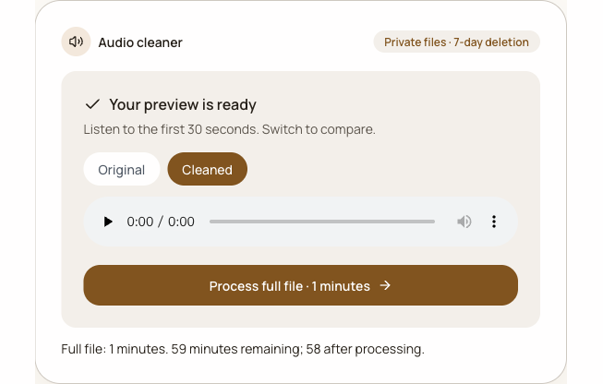
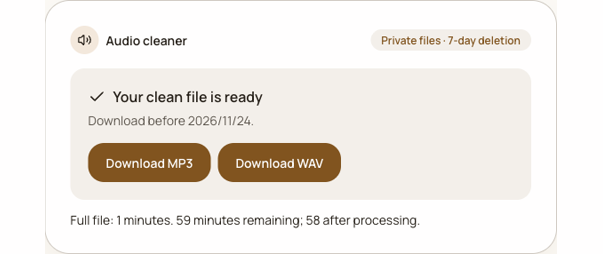
Process and download
If the comparison works for you, sign in and start the full job. One credit covers each started minute. Download audio as WAV or 192 kbps MP3, or a compatible video as MP4. A failed full job returns its reserved credits.
What Noise Can It Reduce?
Try it on air-conditioning hum, room hiss, passing traffic, light wind, and keyboard taps around speech. The model works on the sound you actually recorded, so the free preview is the right place to compare. A clear voice with a distinct background is easier to assess than a voice hidden by heavy distortion.
It cannot reliably remove music mixed under a voice, split several people speaking at once, or reconstruct words lost to a clipped microphone. Those sounds overlap with speech. Process the full file only when the preview keeps the voice useful. If you hear a watery or thin voice in the cleaned sample, use the original or try a clearer take. A physical windscreen and a closer microphone can prevent problems that software cannot repair afterward. Learn how to remove wind noise from audio.
Clean Up a Video Soundtrack
Video uploads receive the same free audio comparison. When a full video source is compatible, the finished MP4 copies its picture stream and replaces only the soundtrack with 192 kbps AAC audio. Compatible H.264 pictures are not re-encoded; other video streams are converted to H.264 for playback, retaining the source dimensions in full exports.
Keep the source clip until you have checked the entire result. For supported formats and picture compatibility, learn how to remove background noise from video.
Who Uses This Background Noise Remover?
Podcasters can test an interview with fan noise before committing to the whole episode. Course creators can check whether a quiet explanation stays understandable. Journalists can listen for a guest’s words behind street sound. People filming on phones can compare speech before sharing a clip. The tool is designed for speech recordings in these everyday situations, with the same upload and preview flow for each.
For a longer walkthrough, read the audio cleanup tutorial. For speech-focused recordings, use the audio cleaner for a clearer voice.
Is It Free?
The first 30 seconds are free to hear without an account. Full processing uses one credit per started minute. Choose monthly or annual billing for regular recordings, or buy a one-time pack. Subscription minutes expire monthly; pack minutes never expire. Failed jobs return reserved minutes. See the pricing and refund policy for current plans.
$9.99 /month
Billed monthly
Save $23.98 with annual
5 hours per month
300 minutes granted monthly. Unused subscription minutes expire each month.
$19.99 /month
Billed monthly
Save $47.98 with annual
20 hours per month
1,200 minutes granted monthly. Unused subscription minutes expire each month.
60 minutes
$4.99 once · never expire
For occasional use. Buy again whenever you need minutes.
Free: $0, 30-second preview, no login. One credit covers each started minute. Subscription minutes are used first, then pack minutes. Cancel renewal anytime; access ends at the paid period end. Annual plans grant minutes monthly, 12 times. Refund policy.
Frequently Asked Questions
Is it free?
Yes, the first 30 seconds can be previewed for free without signing in. A full download uses subscription or pack minutes. Subscription minutes refresh monthly; pack minutes never expire.
Does it work on video?
Yes. Upload MP4, MOV, or WEBM and compare the audio from the first 30 seconds. A compatible full video job produces MP4 with a cleaned AAC soundtrack. Compatible H.264 pictures are copied; other video streams are converted for playback.
Will it lower my video quality?
For a compatible input, the original video stream is copied without re-encoding; only the audio is replaced. Other video streams are converted to H.264 for playback, with source dimensions retained in full exports. Previews may be reduced to 720p. Keep the source file and review the completed MP4 before publishing.
Which file types can I upload?
Audio uploads support MP3, WAV, M4A, AAC, OGG, and FLAC. Video uploads support MP4, MOV, and WEBM. WAV and 192 kbps MP3 are the audio download choices. Compatible video results are MP4 with 192 kbps AAC audio. We also even out the loudness of the cleaned file.
How long does it take?
Processing time varies with file length, queue load, and the type of media. The free preview covers only the first 30 seconds and usually finishes sooner than a full file. Wait for the ready state before downloading, and return to your task if the page closes.
Can it remove music behind a voice?
Music and speech can overlap in the same frequency range. This tool is intended for unwanted background sound around speech, not reliable music removal, instrument separation, or vocal isolation. Preview a representative section before deciding whether the result is useful.
Are my files private?
Uploaded source files and processed results are deleted after seven days. Keep your original and download before expiry. The free comparison plays only the preview; it does not publish your recording as an example.
Is there a file size limit?
Free preview uploads can be up to 200 MB. Full files can be up to 2 GB and three hours. For a larger recording, export the section you need to clean. The first 30 seconds must include the sound you want to judge.
What if the cleaned voice sounds different?
Keep the original. Compare a quiet phrase, a louder phrase, and a noisy pause on the same headphones. Clipping, overlapping speakers, and severe distortion may limit what cleanup can preserve. You can choose not to process the full file if the preview is not helpful.
Ready to hear how your recording sounds? Return to the tool and remove background noise from a free sample first. Decide what to do with the full file after listening.
Try the free preview